The official WhatsApp API for your whole team
Connect your number through Meta’s WhatsApp Business Platform and reply with several people at once. With coexistence, the app keeps working on your phone.
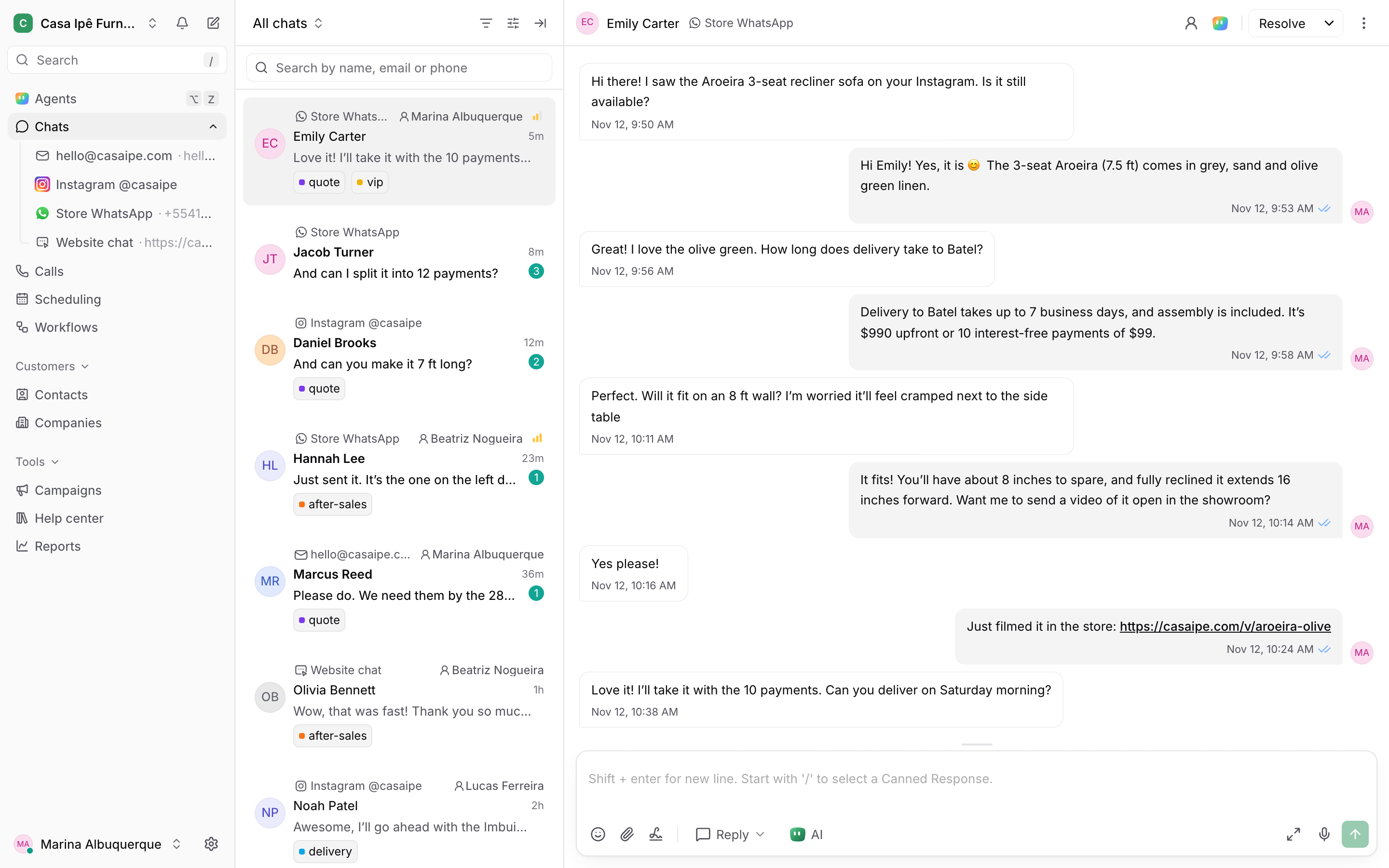
-
Keep your number
With coexistence, your WhatsApp Business app number connects by QR code and stays on your phone.
-
The whole team
Everyone replies from the same number, each conversation with an owner.
-
Official connection
Direct integration with the Cloud API, within WhatsApp’s policies.
Use the same number in the app and in Zailor
Scan a QR code in the WhatsApp Business app and the same number starts receiving messages in Zailor. Replies you send from your phone show up in the conversation too.
- Connected through Meta’s Embedded Signup
- Replies sent from the app show up in Zailor
- Your number doesn’t need to be migrated

Re-open conversations outside the 24-hour window
Send Meta-approved templates to confirm orders, remind people of appointments or follow up with a customer.
- Templates synced from your Meta account
- Variables filled in when sending
- Also used in campaigns
Split the number’s conversations across your team
Each conversation can go to a person or a team. Team members leave private notes in the conversation and can see who is looking after each customer.
- Manual or automatic assignment
- Private notes and mentions
- Labels and priorities
Your whole team replies from one number
Zailor connects through Meta’s WhatsApp Business Platform (Cloud API).
- Embedded Signup Connect through Meta’s official flow.
- Coexistence Use your WhatsApp Business app number and keep your phone.
- Approved templates Start and re-open conversations outside the 24-hour window.
- Media Images, voice notes, videos, documents and locations.
- The whole team Everyone on the same number, each conversation with an owner.
- Broadcasts Campaigns with approved templates.
- AI agents Automatic and suggested replies on WhatsApp.
- Calls Take and make WhatsApp voice calls, with recordings.
- Business hours Automatic message outside working hours.
-
Can I keep using the same number in the WhatsApp Business app?
Yes, with coexistence. You connect the number to Zailor by QR code and the app keeps working on your phone. New one-to-one conversations arrive in Zailor, and replies you send from the app show up in the conversation. Group chats don’t come over to Zailor.
-
Does Zailor use the official WhatsApp API?
Yes. Zailor connects through Meta’s WhatsApp Business Platform (Cloud API). You can also connect a new number directly to the official API, without the app.
-
What’s the difference between the app and the official API?
The WhatsApp Business app is built for replying from a phone and a few linked devices, with no way to assign conversations. The official API (WhatsApp Business Platform) connects your number to a platform like Zailor. Your team replies from a computer and each conversation has an owner. You can also send approved templates outside the 24-hour window and use workflows and AI agents.
-
How many team members can use the same number?
As many as you need. Zailor doesn’t cap the number of team members: you pay per team member per month, and WhatsApp is available from the Pro plan. You decide who can see the WhatsApp inbox and how conversations are assigned.
-
Who pays for WhatsApp messages?
Per-message WhatsApp Business Platform fees are charged by Meta, separately from your Zailor plan.
Keep exploring
See an agent answer your WhatsApp
Book a demo and our team will show you Zailor working with your channels.
Already have an account? Log in