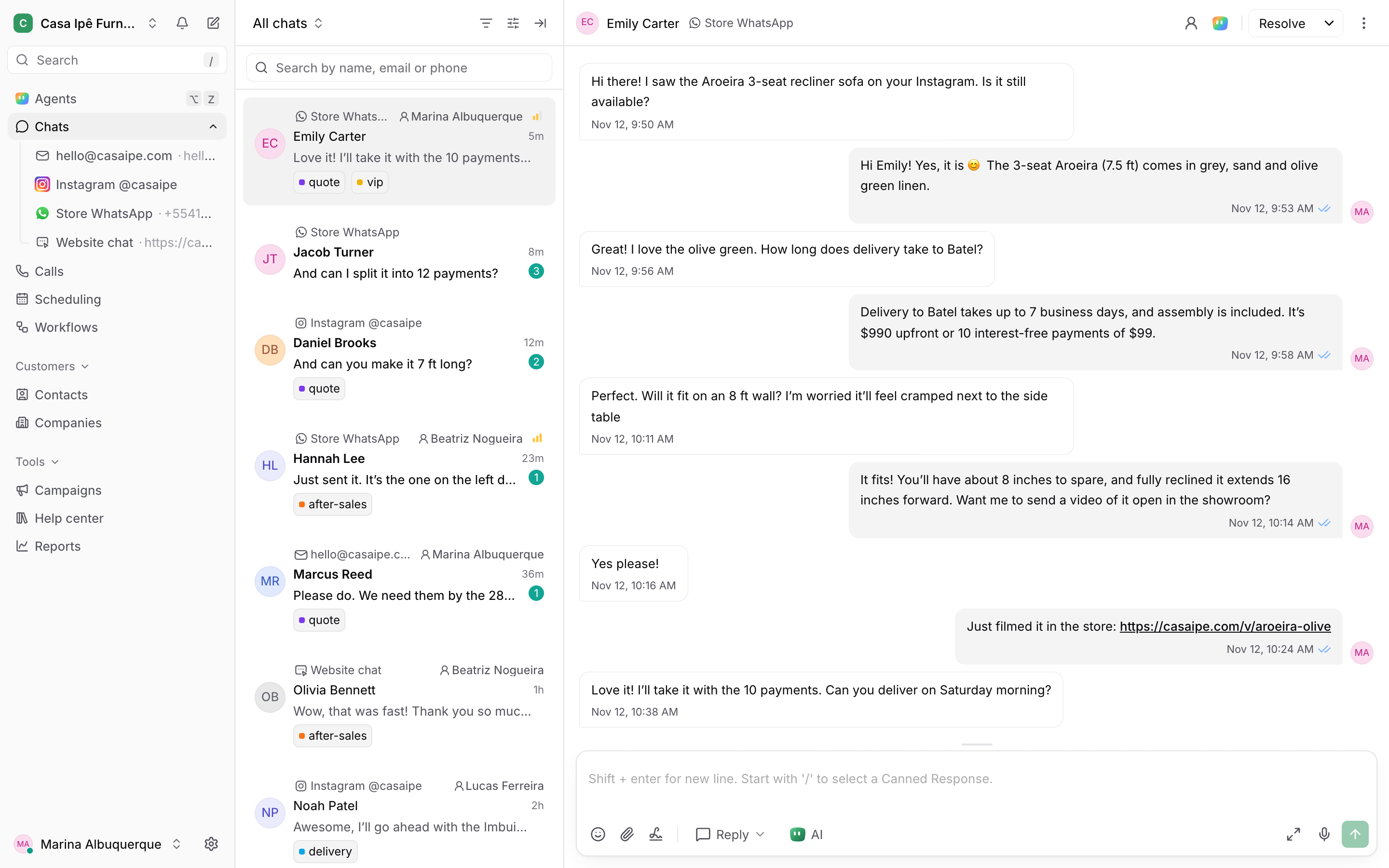
All your support channels in one queue
Each conversation arrives with a priority, an owner and its history, so your team knows what to handle first. Reports show how your response times are going.
-
One queue
WhatsApp, Instagram, Messenger, email and website chat in the same inbox.
-
One owner per conversation
Every conversation has an owner, and other team members help through private notes and mentions.
-
Metrics by person and team
First response, resolution and satisfaction tracked by team member and team.
The queue shows what to handle first
Filter by Mine, Unassigned and All, and save the views you use. Status and priority show which conversations are sitting without an owner.
- Open, pending, snoozed or resolved
- Priorities and labels by topic
- Search across conversations, messages and contacts
Every conversation goes to the right person
Share conversations across people automatically or assign them by team. When someone needs help, they bring in another team member with a mention in a private note.
- Manual or automatic assignment
- Teams split by department or channel
- Private notes and mentions
Know how support is doing, without spreadsheets
See conversations open right now, first response and resolution times, volume by channel and the results of your satisfaction surveys.
- Live view
- Performance by team member and team
- Satisfaction surveys (CSAT)
The queue has SLAs and AI agents
You choose which inboxes the AI agents work in.
- Every channel WhatsApp, Instagram, Messenger, email and website chat.
- Assignment Manual or automatic, by team or by person.
- Private notes Internal discussion inside the conversation.
- Canned responses Saved messages, inserted by shortcut.
- Workflows Label and prioritize conversations. Also assign them, with AI conditions.
- SLA Response and resolution targets by policy.
- AI agents Answer common questions and hand the conversation to your team.
- Help center A public portal so customers can help themselves.
- Response times First response and resolution.
-
Can I handle email and WhatsApp on the same screen?
Yes. WhatsApp, Instagram, Messenger, email and website chat land in the same inbox, each channel with its own settings and permissions.
-
How do I stop two team members replying to the same customer?
Every conversation has an owner, assigned manually or automatically. Your team can see who is handling each conversation and talk through private notes.
-
Which support metrics does Zailor show?
Live open conversations, first response and resolution times, volume by channel and label, performance by team member and team, and CSAT results.
-
Can AI reduce the size of the queue?
Yes. AI agents answer common questions from your help center, pages and files, and hand the conversation to your team when needed. You choose which inboxes they work in.
Keep exploring
See an agent answer your WhatsApp
Book a demo and our team will show you Zailor working with your channels.
Already have an account? Log in